We are working on adding the ability to delete pages completely. That functionality should be available within the next couple of weeks.
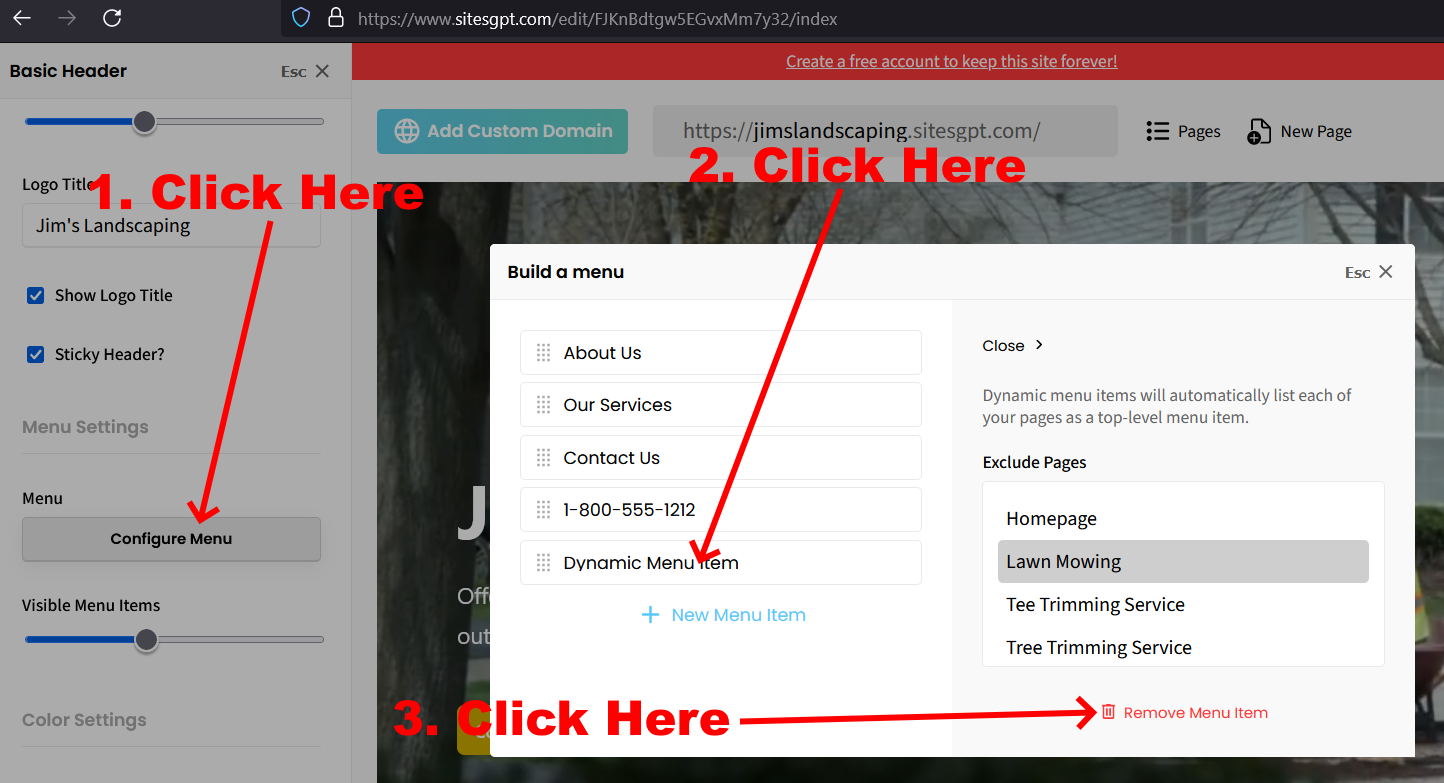
In the meantime, you can hide the page(s) you don’t want to show in the links in the header and footer. Just click on the header, look for the “Configure Menu” button, click that. Then, look for “Dynamic Menu Item” in the list of menu items. Click that, then click “Remove Menu Item.” See attached screenshot.
Follow this same process for both the header and footer menus and the link to that page will no longer be visible to your website visitors.
Let us know if you have further questions.