We are working on a new E-Commerce feature that will allow product catalogs, payment processing, etc. This feature will be available this year.
In the meantime, you can display your products and provide a link or phone number for customers to purchase them. Here is how to do that:
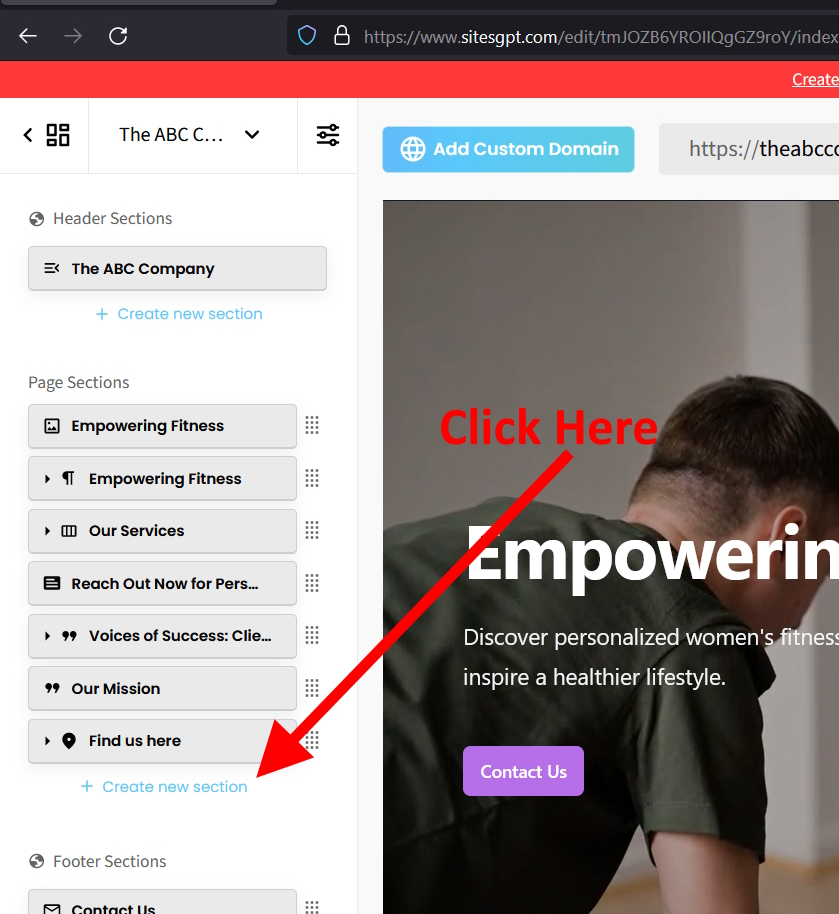
Look for the blue “Create New Section” button at the bottom of the left side editor. Then, select the type of section to add which is “3 Columns with Images”. This will create a new section similar to the “Our Services” section. From there, you just need to change the text and images to represent the products you want to sell. If you want to display more than 3 products, just add more blocks by clicking the small triangle on left side of the button that represents that section in the left editor bar.
Hopefully that helps. Feel free to reach out if you need further assistance.
We appreciate your patience as we work to improve the platform as rapidly as possible, and we appreciate your valuable feedback!