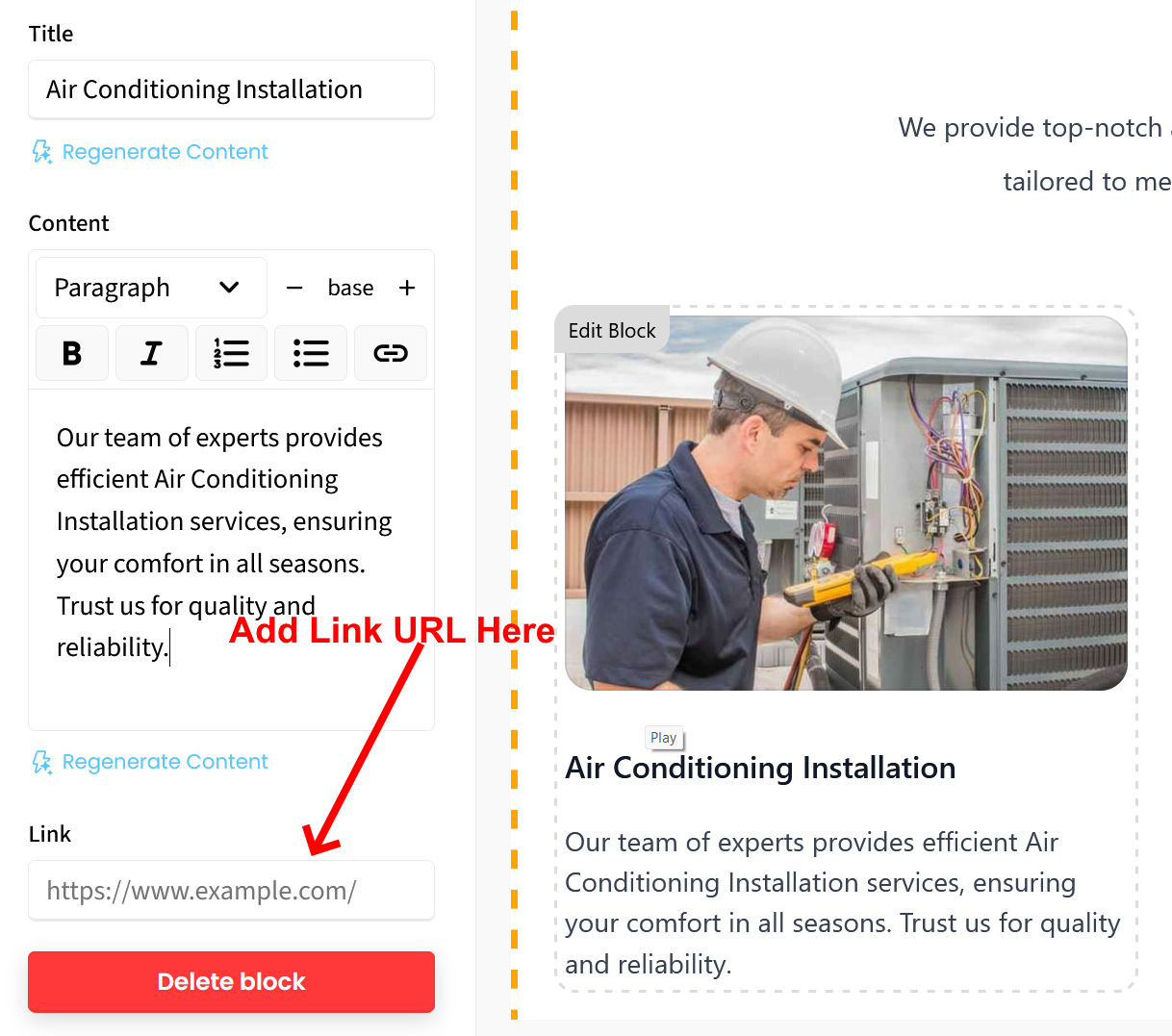
To create new pages and have your services blocks link to them, follow these instructions:
The first step is to create the new pages by clicking the + New Page button at top of screen. Once you create that page, take note of the new page’s URL. See screenshot 1.
To add a link from a services block to the new page, just click on the block (“Edit Block”) and look for the “Link” text box in the left side bar editor and enter the URL of the page you want to link to. See screenshot 2.
Be sure to click the green “Save” button at top right to save your changes. The block will now link to the new page. To link multiple blocks to multiple new pages, simply follow the same steps for each.
Let us know if you have any other questions.