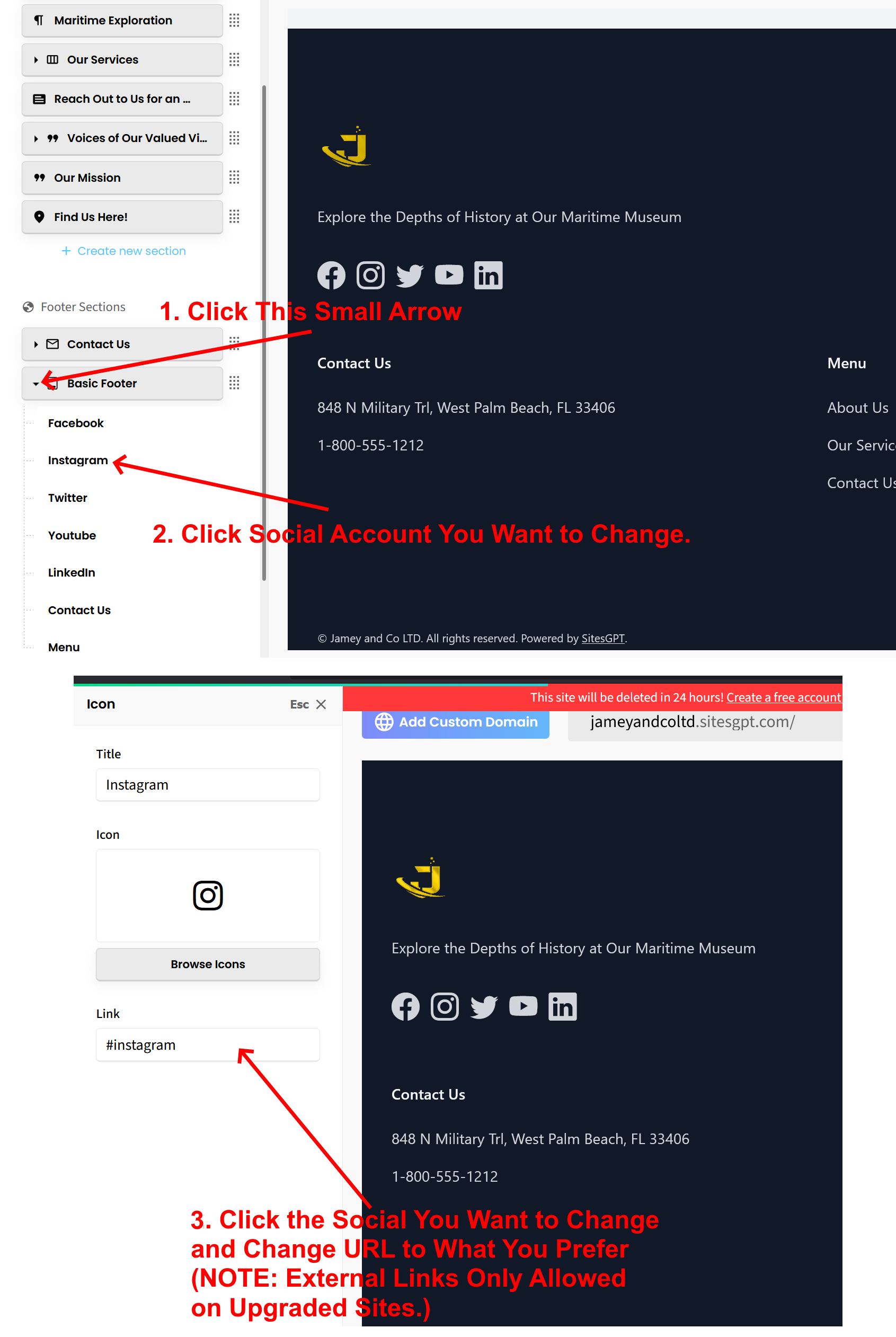
Here is how to change the social media buttons/links:
1. Scroll down the left sidebar editor until you see the button for “Basic Footer.”
2. Click the small black arrow and the left side of the button. See attached screenshot.
3. Click on the social media platform you want to change. This will open up the screen showing the link URL.
4. Change the link URL to the one you want to link to. See attached screenshot.
NOTE: Only upgraded sites can change/add external links. External links are not permitted on free sites for security reasons.
Let us know if you have any further questions.