The easiest way to add a favicon to your website is to upload it to this free platform:
https://favicon.io/favicon-converter/
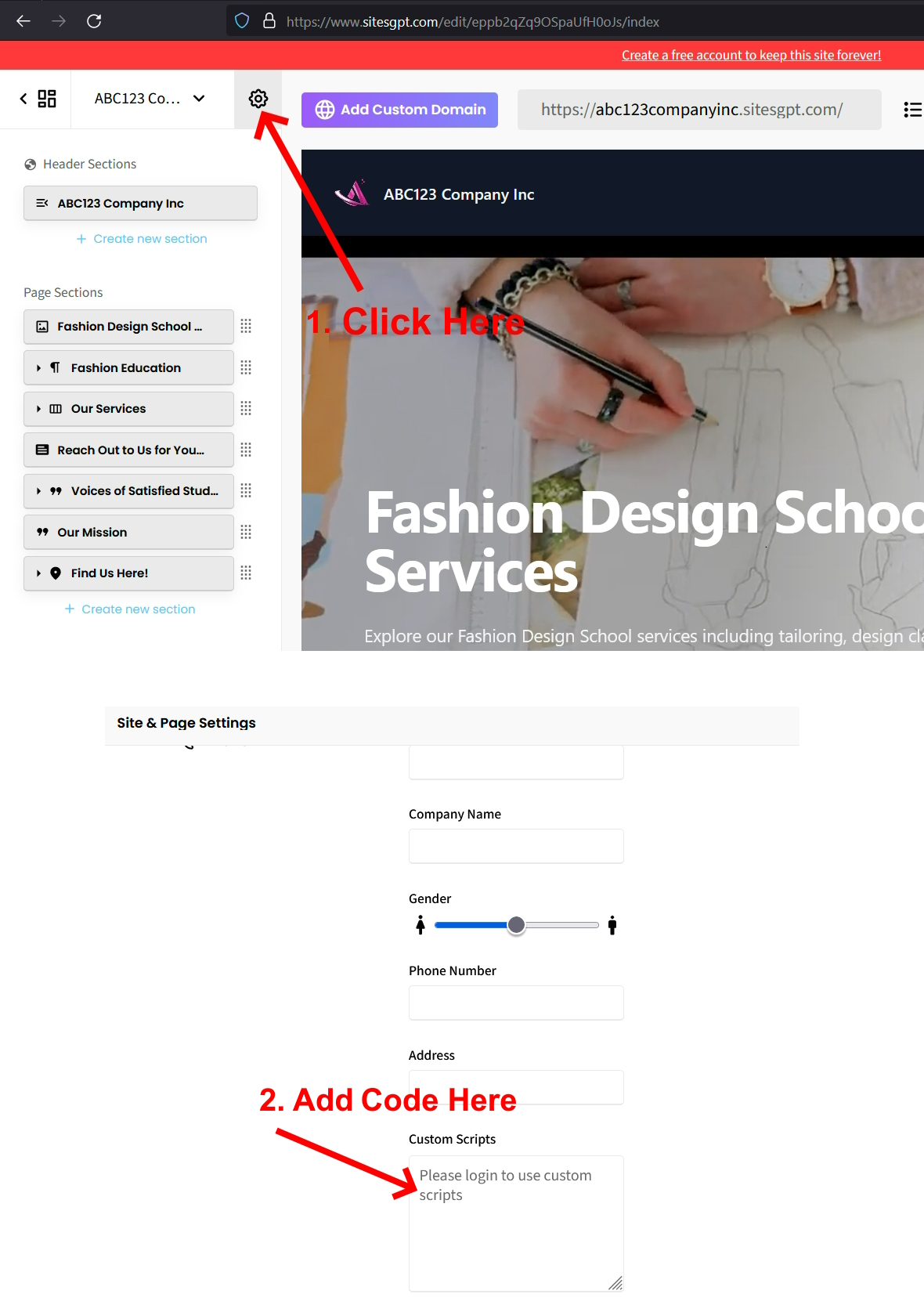
They will provide an HTML code that you will need to paste into the “Custom Scripts” area in your website settings. To get to this section, look for the small gear icon on the top right of the left sidebar editor (see screenshot 1.) Click on the tab for “Site Settings”, look for the “Custom Scripts” text box and paste the HTML code provided by favicon.io into that text box. See attached screenshot.
Please follow these steps and let us know if you have any further questions.