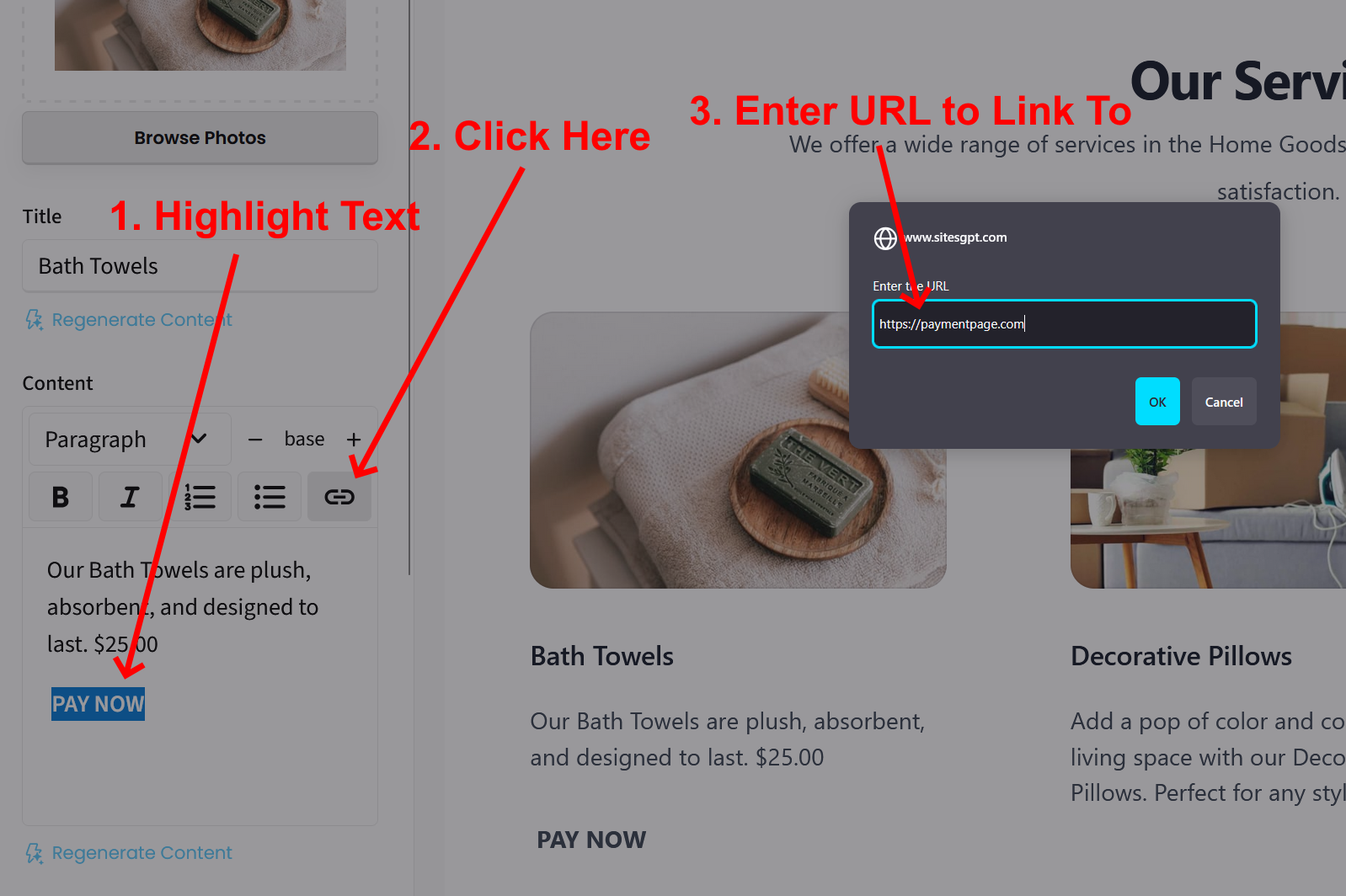
You can add external links within the text of any section. Just click on the section and go to the left sidebar editor to edit the text. Just highlight the word you want to link from (for example, PAY NOW) and click the link icon in the text editor. From there, you can past the link to your payment page into the link field. See attached screenshot.
Let us know if you have any other questions.