To add your logo to the site, follow these steps:
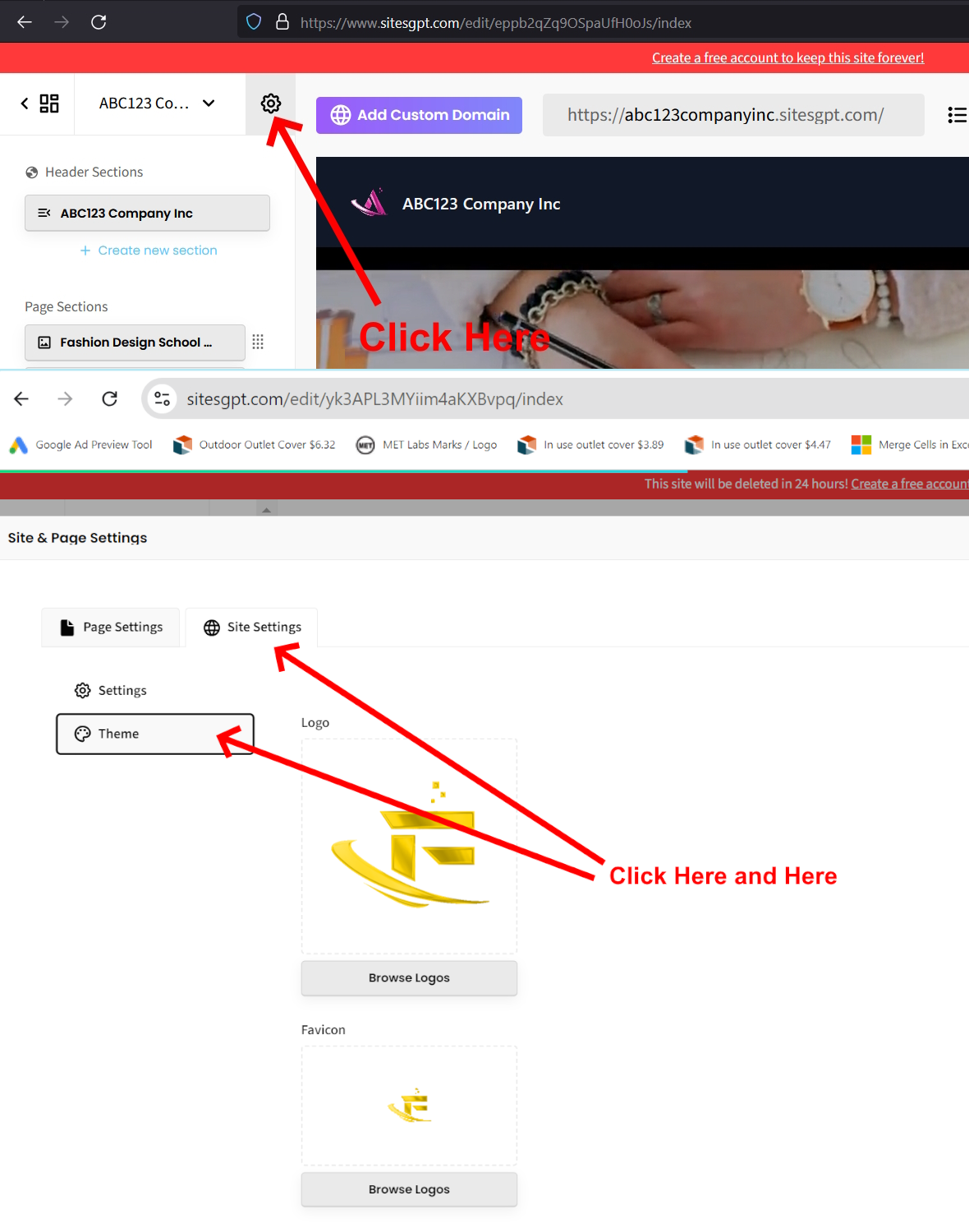
1. When you are on the website editor screen, look for the small gear icon at top of the left sidebar. Click that.
2. Click on “Site Settings” tab on the top.
3. Click the “Theme” button on the left.
4. From here, you can upload your logo.
See attached screenshot for clarification and let us know if you have additional questions.