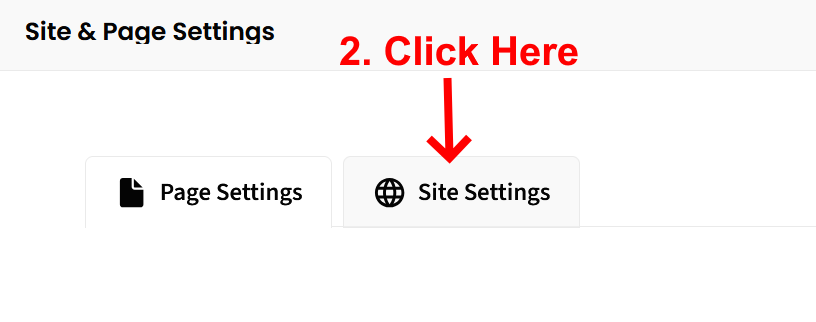
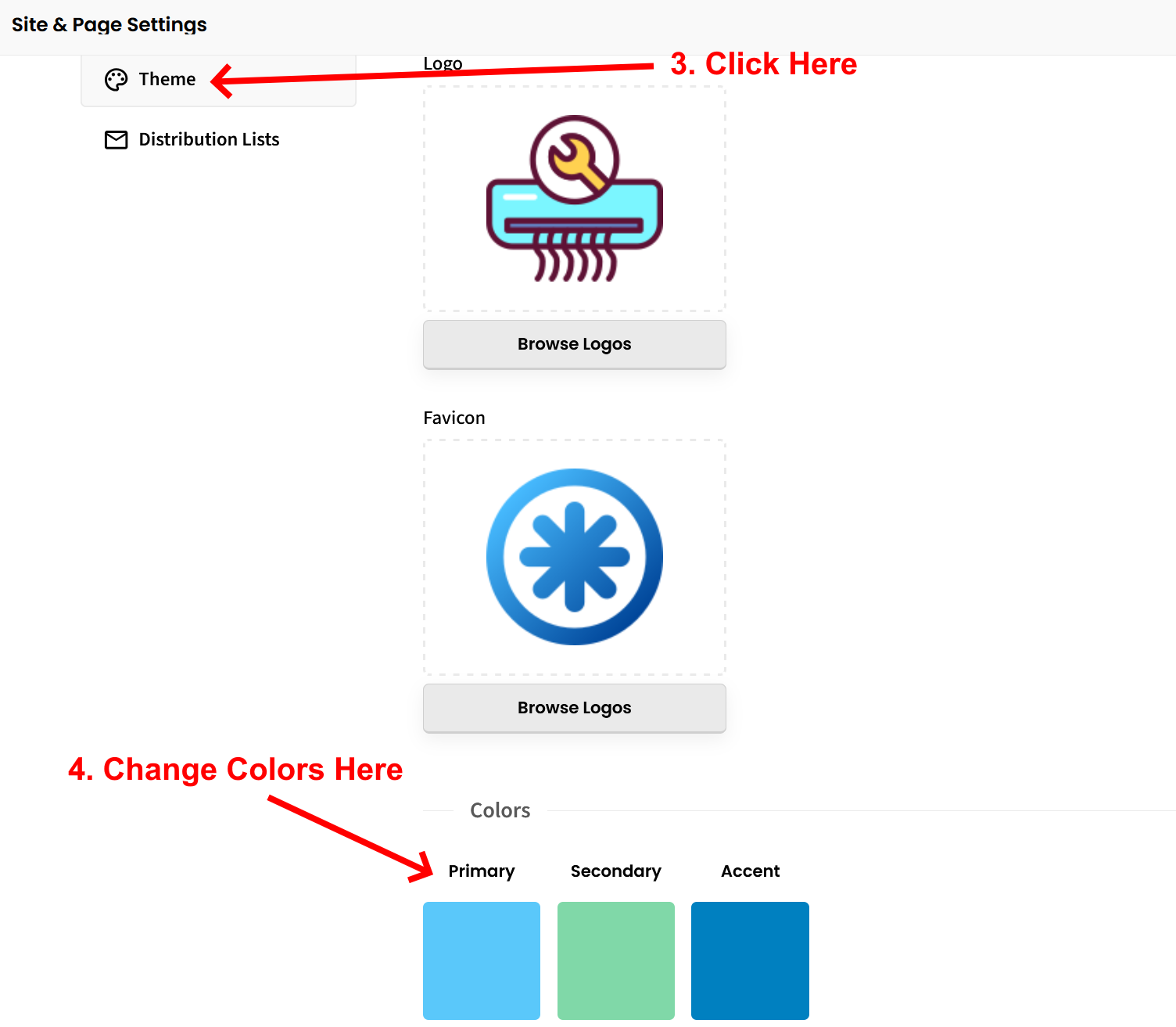
To change your color selections, follow these instructions:
1. Look for the small gear icon in the top right corner of the left sidebar editor. Click that.
2. Look for “Site Settings”. Click that.
3. Look for “Theme”. Click that.
4. From the Theme screen, you can change the colors of your site. See attached screenshot for clarification.
Let us know if you have any other questions.
*By the way, we have nearly 100 new FREE features and widgets available to enhance your website. Check them out here:
NEW FREE FEATURES, ADD-ONS, AND WIDGETS TO ENHANCE YOUR WEBSITE!
Sign up to be a SitesGPT Affiliate and earn 30% recurring commission from everyone you refer to SitesGPT!
BECOME A SITESGPT AFFILIATE TODAY!