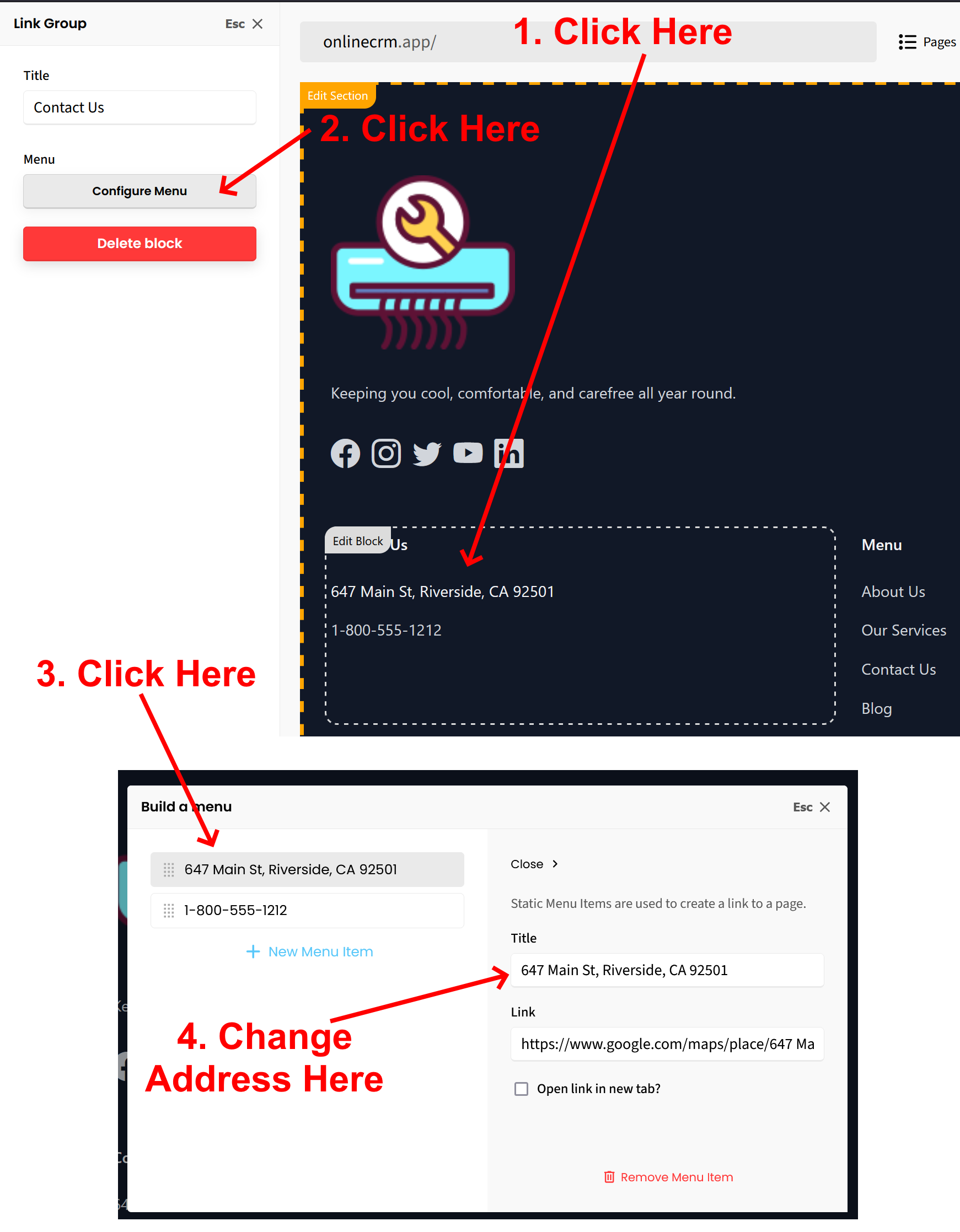
To change the address in the footer, follow these instructions:
1. From the page editor, click the address block in footer. This will open the “Link Group” option in the left sidebar editor.
2. Click on “Configure Menu”. This will open a window that shows the address. Click the address and you will be able to make the changes from there.
3. Be sure to click the green “SAVE” button at top right corner of the editor to save and publish the change(s).
*SEE ATTACHED SCREENSHOTS FOR CLARIFICATION
Let us know if you have any other questions.
*By the way, we have nearly 100 new FREE features and widgets available to enhance your website. Check them out here:
FREE FEATURES, ADD-ONS, AND WIDGETS TO ENHANCE YOUR WEBSITE!