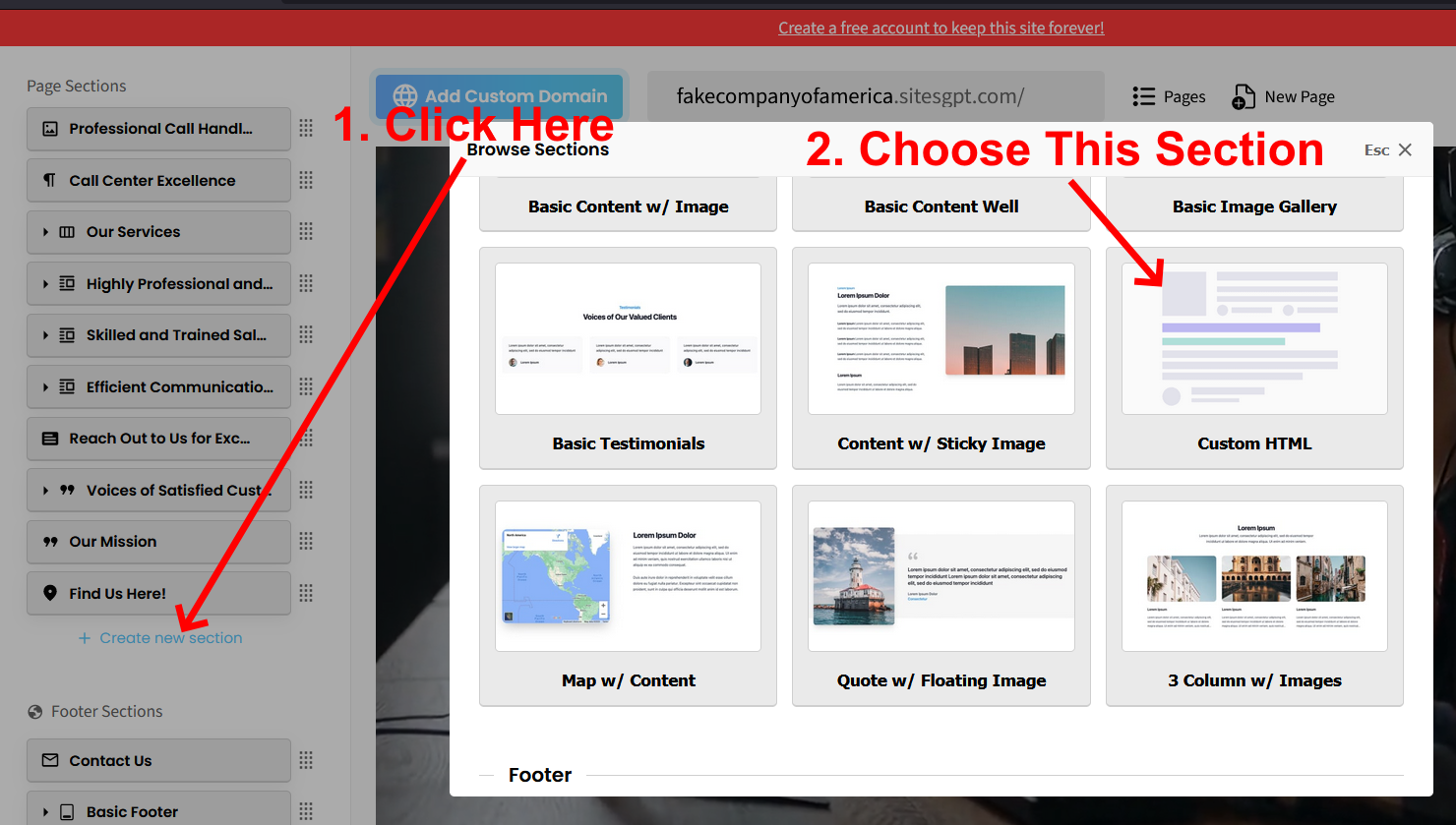
To add custom HTML to your website, you need to create a new section within the page. This needs to be the “Custom HTML” section type. See Screenshot 1 that shows how to add the new section.
Once you create the section, you will see “filler text” where the section shows on the page. Once you see that, you can click on the section and add/edit your own HTML.
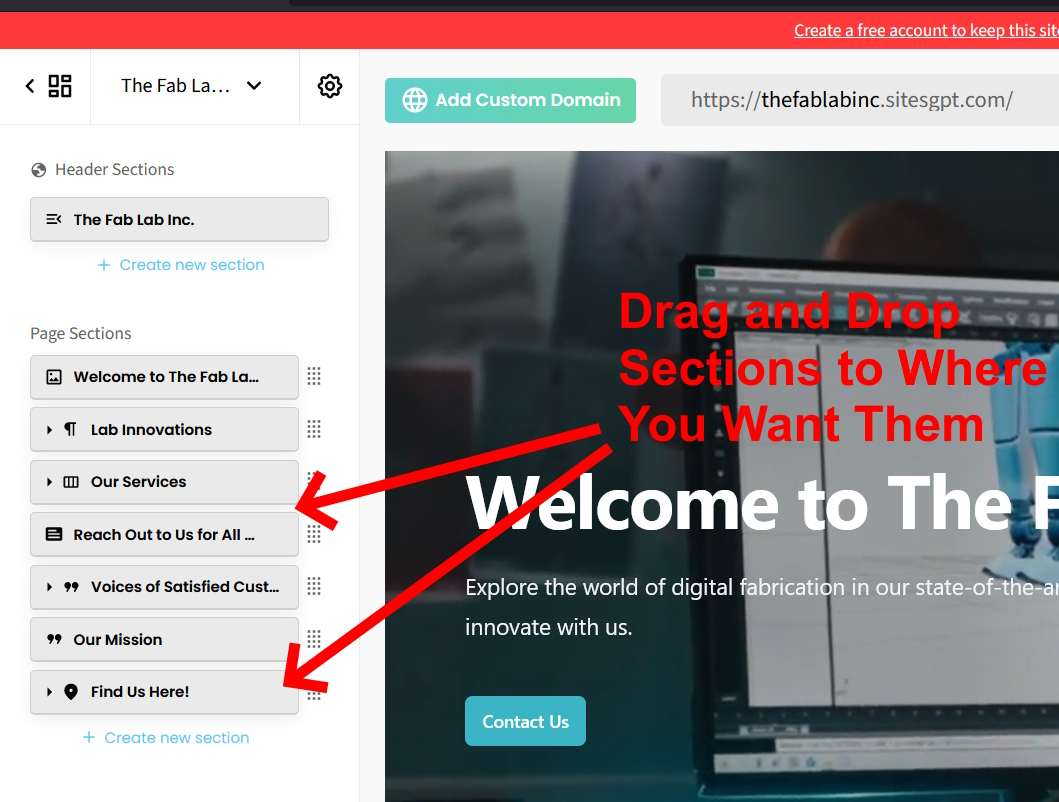
Once you’ve created your new HTML section, you can drag the section to the area of the page you want it to show and drop it in place. This is done from the list of sections in the left sidebar editor. See Screenshot 2.
Please follow these steps and let us know if you have any other questions.