Sign up with Google Workspace at https://workspace.google.com/
Set Google Workspace email by editing your MX records
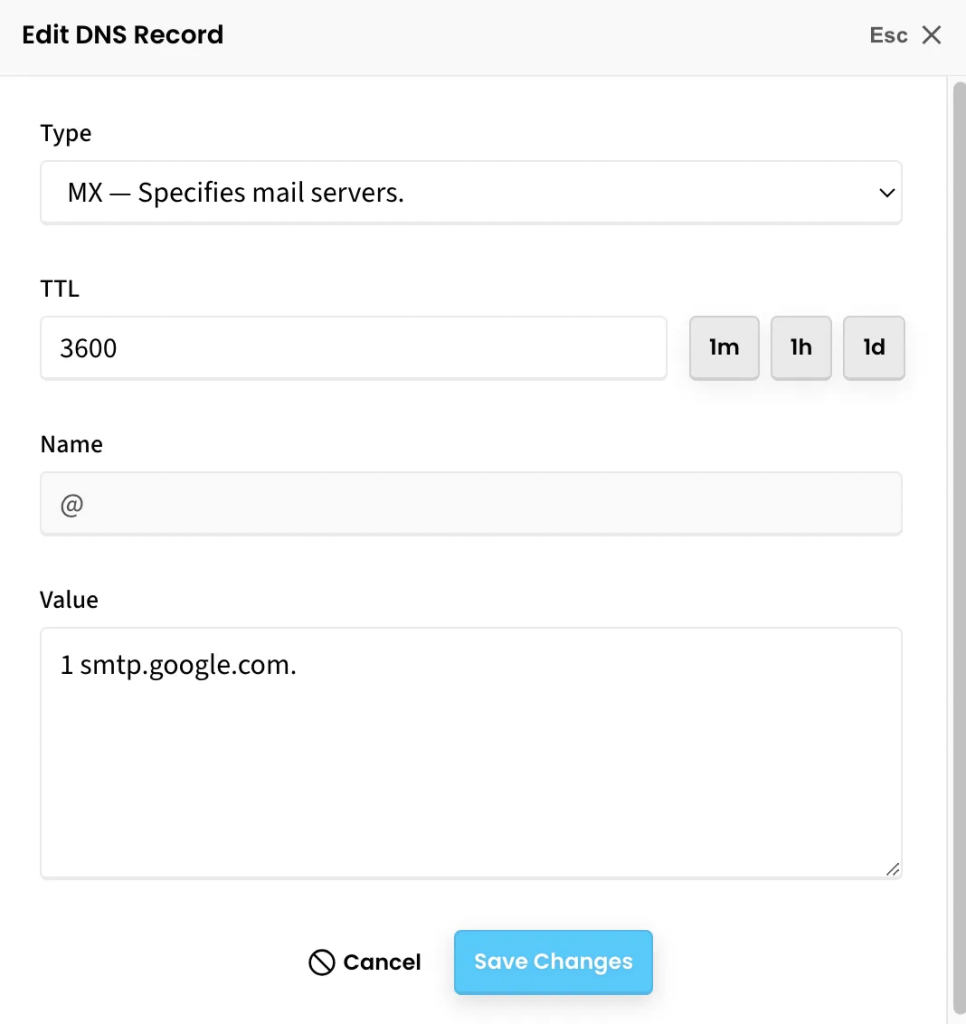
To update MX records visit https://www.sitesgpt.com/account/domains, click the gear icon for your domain, click edit DNS settings, and click the pencil icon to edit the MX record row (or click create new record and select MX). TTL can equal 3600 (1 hour).
Copy the following into the “Value” text box.
1 smtp.google.com.
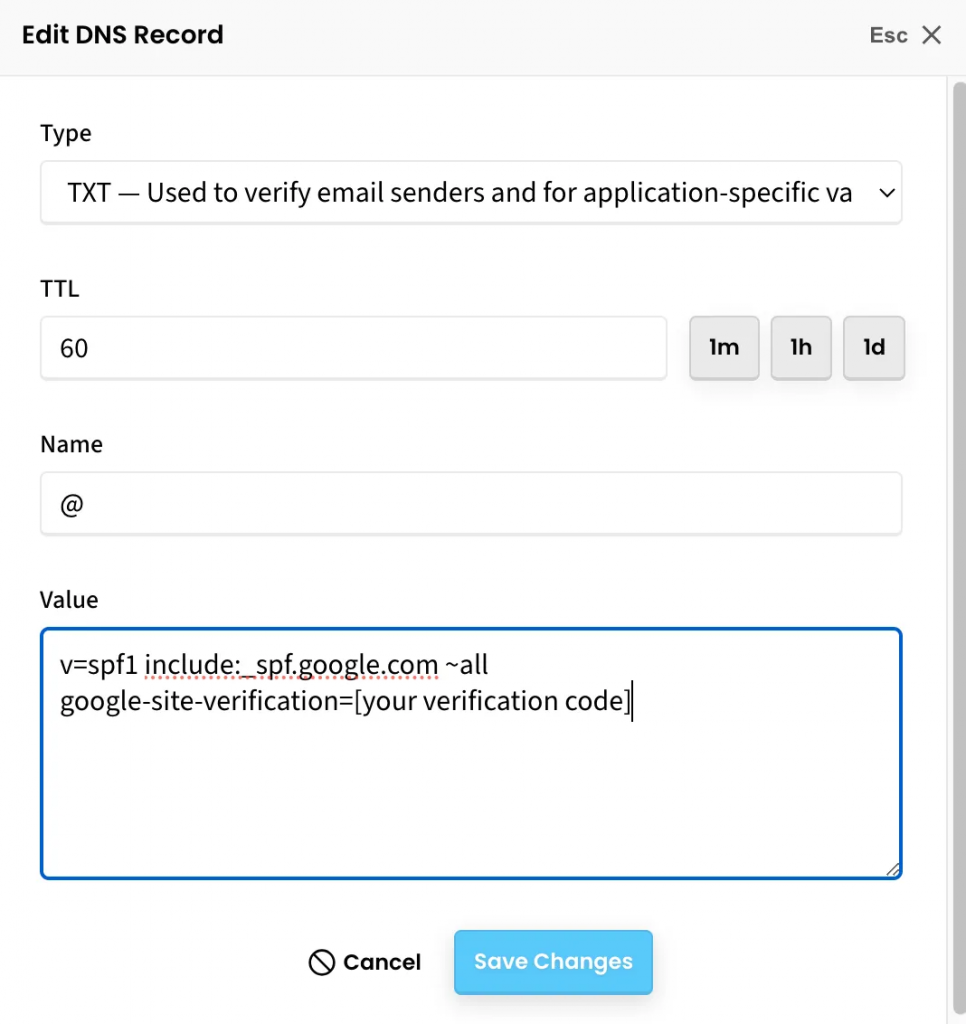
You must also add TXT records. Visit https://www.sitesgpt.com/account/domains, click the gear icon for your domain, click edit DNS settings, and click the pencil icon to edit the TXT record row (or click create new record and select TXT). TTL can equal 60.
Copy the following into the “Value” text box. Replace the “[your verification code]” with an alphanumeric text code provide by Google Workspace.
v=spf1 include:_spf.google.com ~all google-site-verification=[your verification code]
Note: If there is already a value for an existing TXT record. Add the above text underneath as a new line.