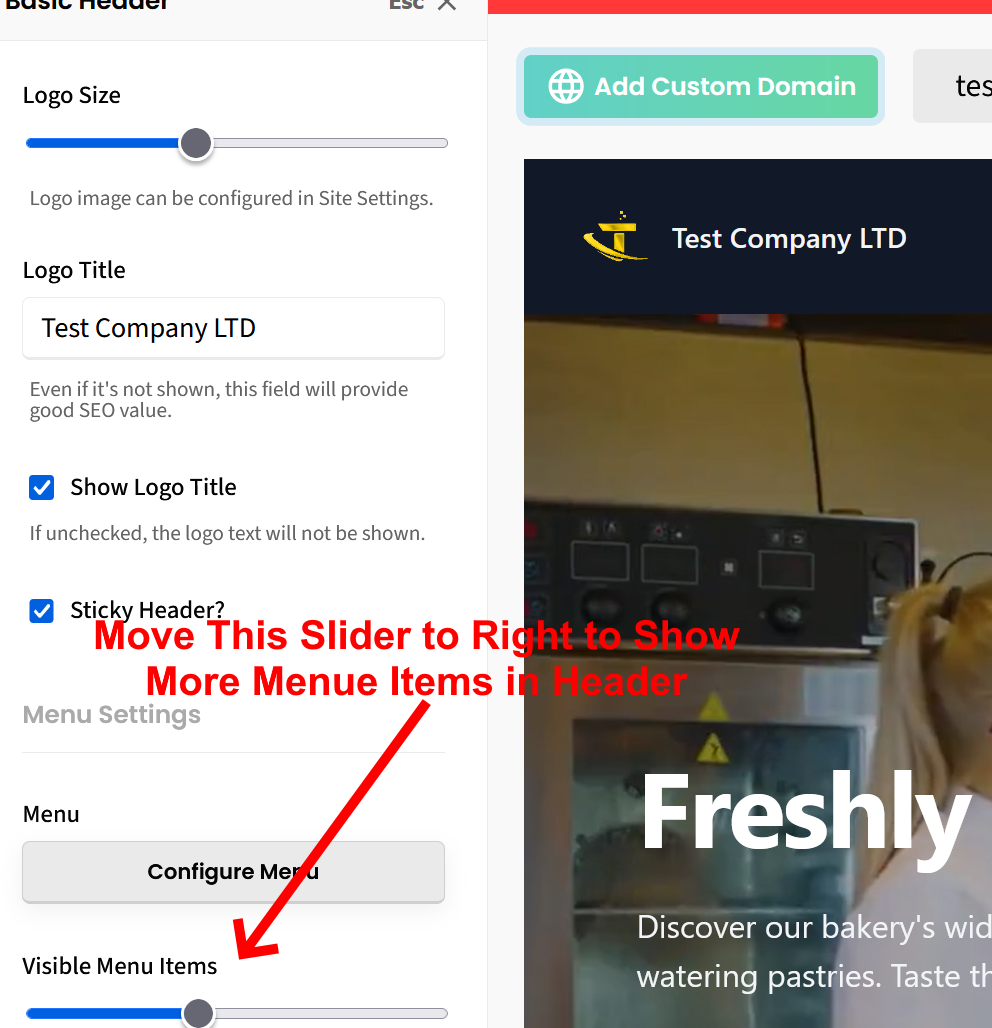
To show more menu items in your header, here is what to do:
1. Click on the header to show the header editor in the left sidebar.
2. Click “Configure Menu”
3. Look for the slider labeled “Visible Menu Items” and slide it to all the way to the right. See attached screenshot.
4. Click green SAVE button at top right of screen to save the change.
This should allow more of your menu items to show in the header bar. However, to avoid crowding and looking odd, menu items are limited to what will fit in the space of the header. Once that space is exceeded, there is no choice but for new menu items to go in the dropdown selector.
Let us know if you have any other questions.