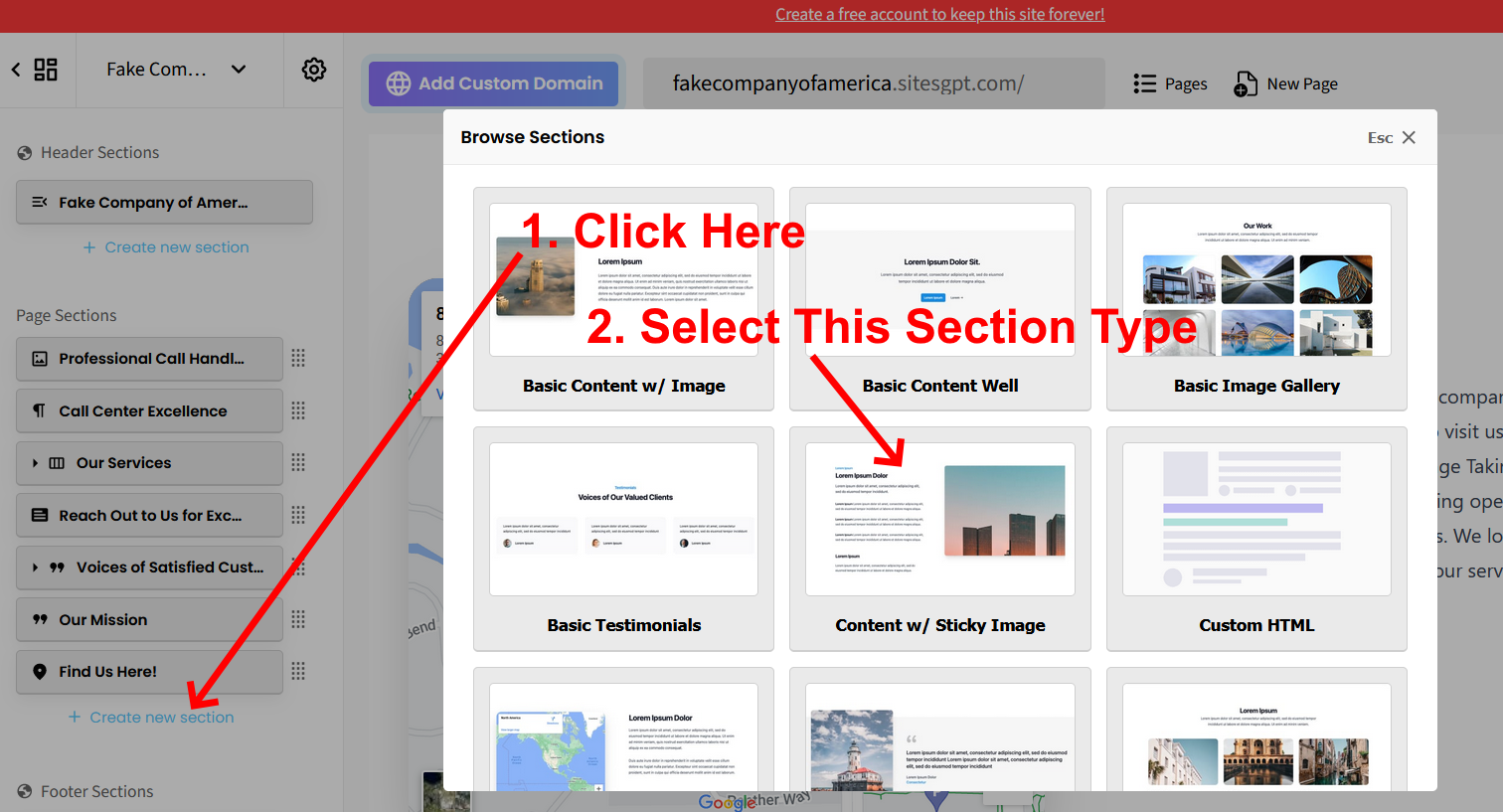
For aesthetic reasons, the software is hard-coded to limit the amount of text the 3-services section can display. If you want to display services (or any other content) that requires more text, I would recommend creating a separate section for each item. The best section type to use for this is “Content with Sticky Image” since it allows unlimited amount of text. See Screenshot 1. You will need to create 3 of these sections if you have 3 services you want to promote. You can add as many as you wish.
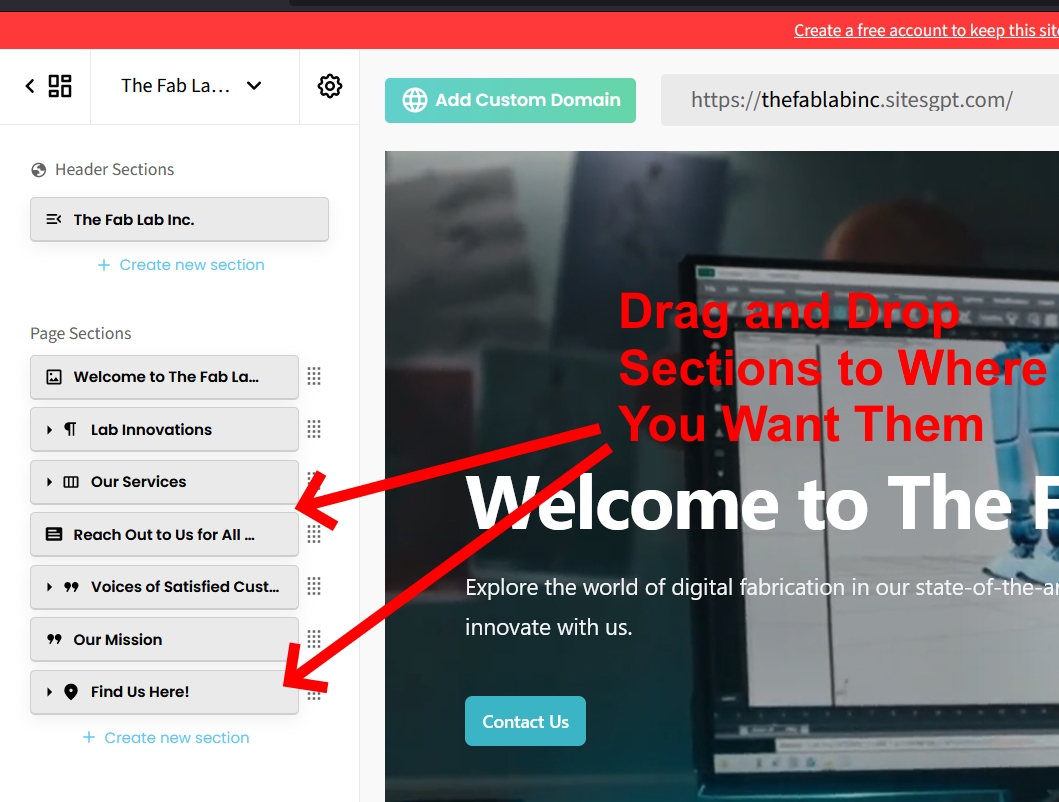
Once you create the 3 new sections, you will need to drag and drop them to wherever you want them to show on your page. If you want them to appear below the original 3 services section, in the left sidebar editor, you will drag and drop the 3 buttons for the new pages up and drop them below the “Our Services Button.” See Screenshot 2.
I have mocked up a “fake” website and added 3 of the “Content with Sticky Image” sections below the 3 services so you can see what this looks like on a live site. Check it out here: https://fakecompanyofamerica.sitesgpt.com/
Please follow these steps and let us know if you have any other questions.