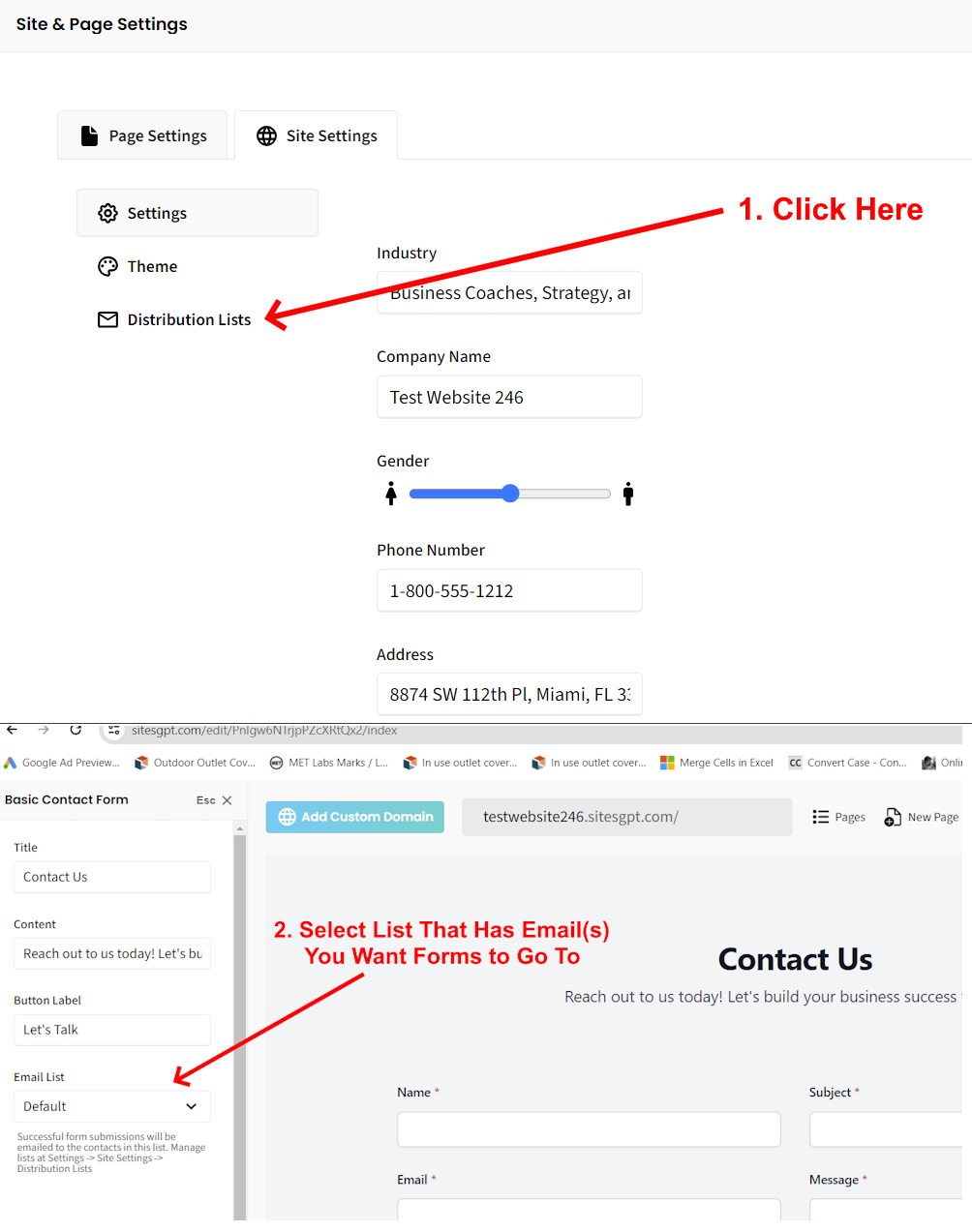
Here is how to change the email address that the form submissions go to:
Click the gear icon at the top of the editor sidebar, go to site settings -> distribution lists. Users can add a new contact to their default distribution list, or create a new list altogether.
After the step above, you should have a dropdown selector on the left when you click the form to select the email list for the form. IF the contact form section doesn’t have a “email list” option in the config, then you need to delete the old contact form and create a new one. Then, the option to change the email list for the new form.
We appreciate your patience as we strive to make upgrades to our platform as rapidly as possible.