You can drag and drop sections of the site using the left sidebar editor. Here is what to do:
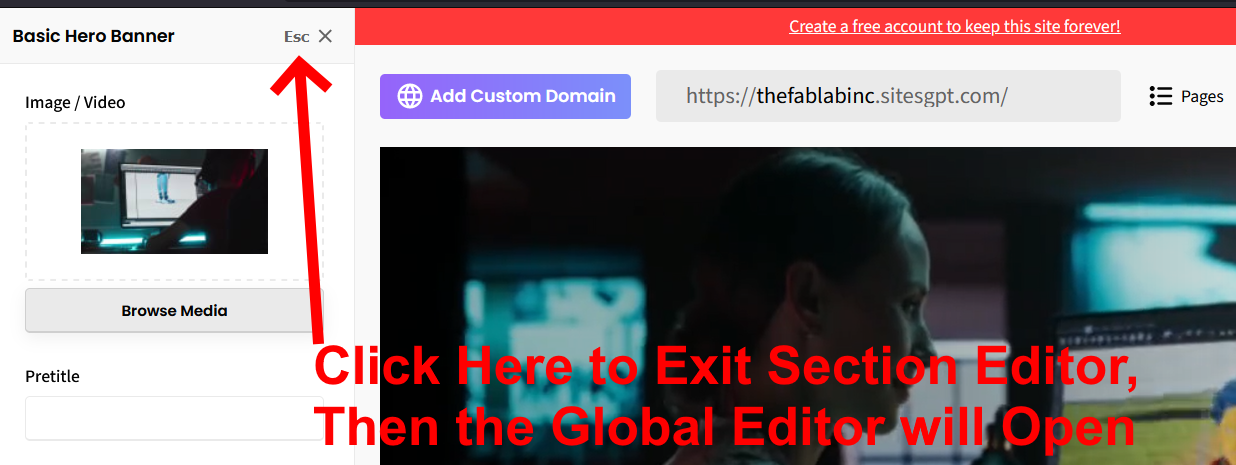
1. Make sure you are closed out of the sidebar editor for a specific section. If you clicked on a section, the sidebar editor will be specific to only editing that section. When that’s the case, look for the “Esc X” button at top right of the left sidebar editor. This will close the Section Editor and open the Global Editor.
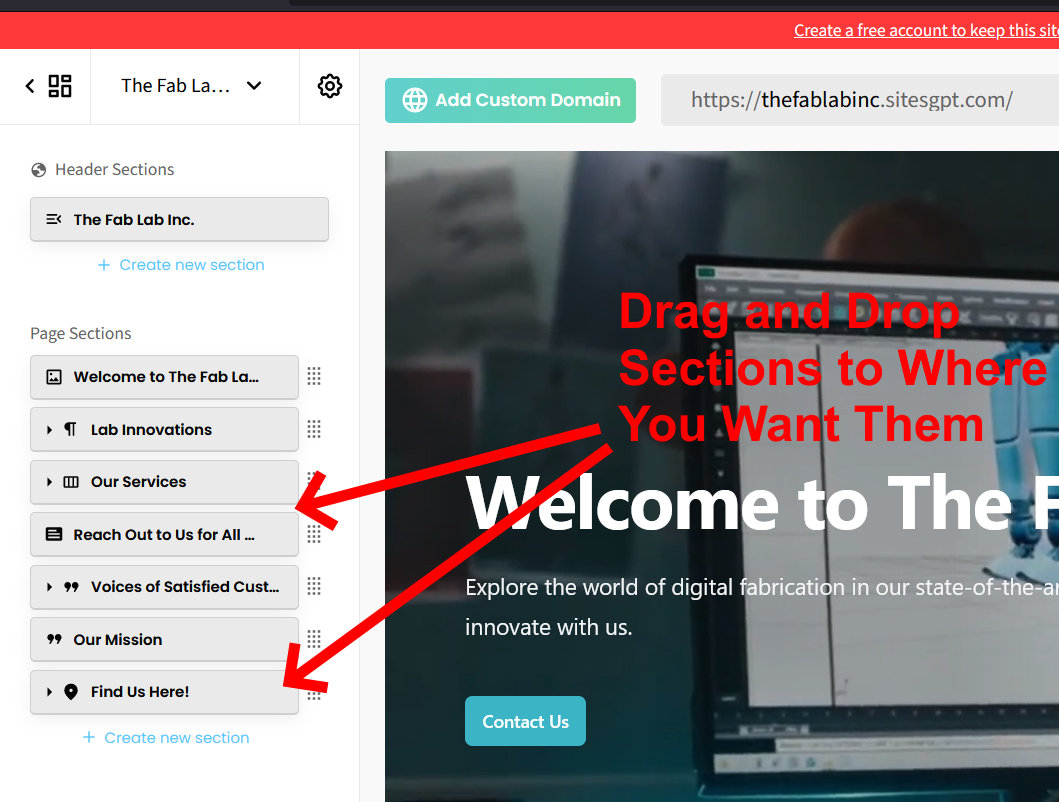
2. In the Global Left Sidebar Editor, look for the list of sections. There is a button that represents each section of your site. From there, you can drag and drop sections to where you want them to appear on the page.
3. Once you’ve dragged and dropped sections to where you want them, be sure you click the green “SAVE” button at top right of your screen. If you forget to click “SAVE”, your changes will not appear on your live website.
SEE ATTACHED SCREENSHOTS FOR CLARIFICATION.
Let us know if you have any other questions or concerns.