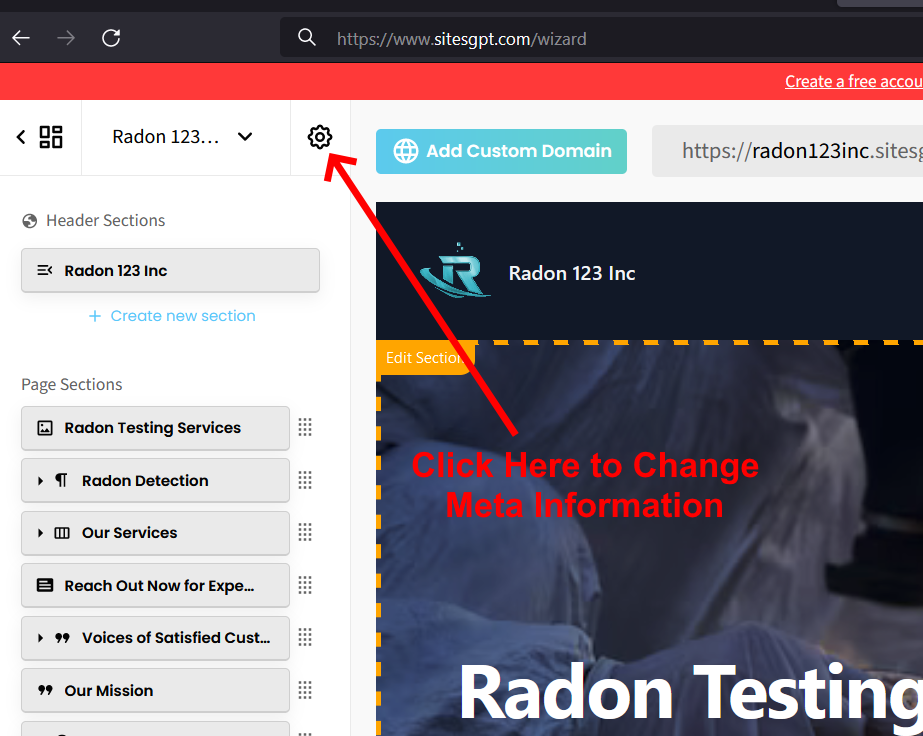
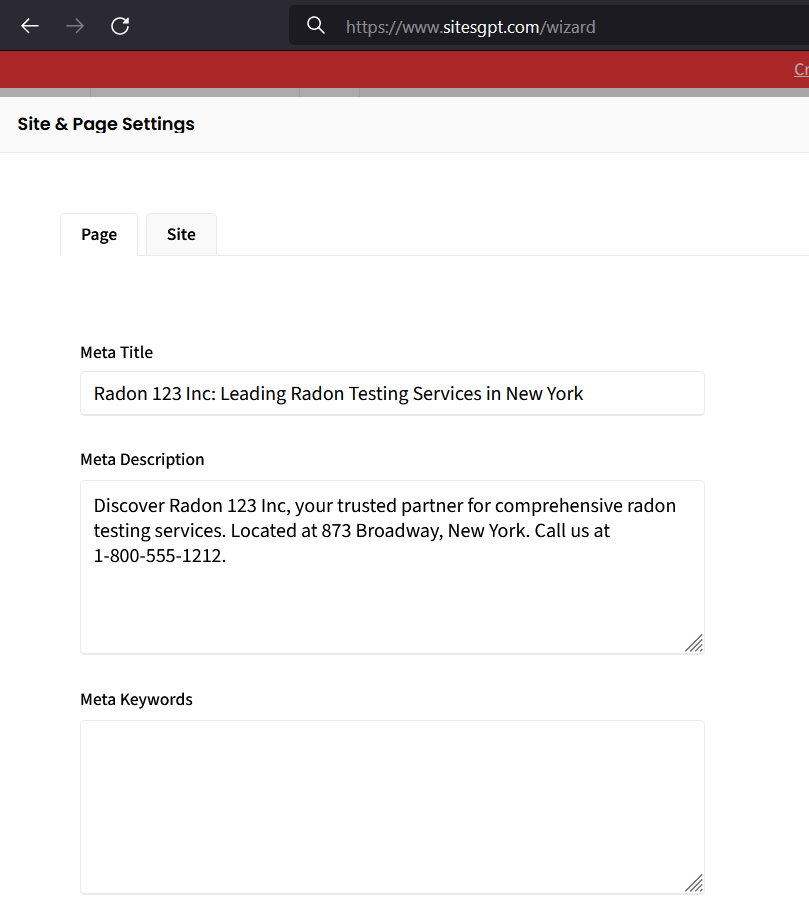
Thanks for reaching out. You can change the title that shows in browsers, email links, etc. This is known as the “Meta Title.” To change the meta title, just click on the settings icon at the top, right corner of the left sidebar editor (see attached screenshot.) Once you click that, a screen will open that allows you to make this change (see 2nd screenshot.)
Let us know if you continue to run into issues.