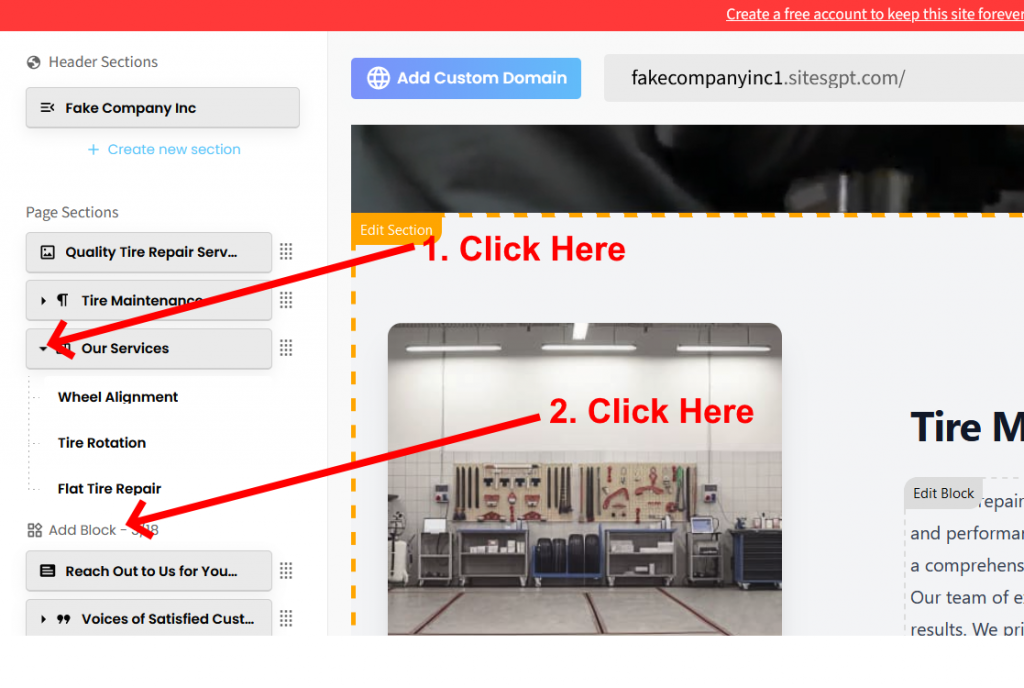
- Go to the left editor side bar.
- Look for the buttons that represent each section.
- When you find the “Our Services” button, click on the small triangle on the far left of the button.
- Click on the “Add Block” link. At that point, you will be able to add block(s) to the section.